Unlock the full potential of your PC gaming library by understanding precisely how to activate Steam game keys. Whether you have purchased a new game from an online retailer, received a gift code, or found an old CD key, learning to correctly activate it on Steam is essential. This guide provides a comprehensive walkthrough, ensuring you can seamlessly add new titles to your collection and start playing without delays. Discover troubleshooting tips for common activation errors, explore the benefits of Steam key activation, and learn how to manage your growing digital library efficiently. We delve into why Steam remains the go-to platform for millions of gamers, outlining its robust features and user-friendly interface. This informational resource is tailored for busy gamers who want quick, effective solutions to get their games up and running, prioritizing fun and relaxation over setup hassles. Stay current with the latest activation practices and make the most of your gaming investments. This article ensures you are equipped with the knowledge to navigate Steam's activation process effortlessly, allowing you more time for actual gameplay and less time dealing with technicalities.
Related gamesHow do I activate a Steam game key?
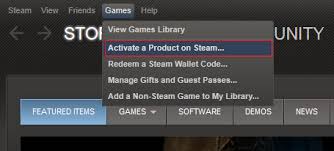
Activating a Steam game key is straightforward. First, launch your Steam client and log into your account. In the top menu bar, click on "Games" then select "Activate a Product on Steam." Follow the prompts, click "Next," agree to the terms, and then carefully enter your alphanumeric product code into the field provided. Once entered, click "Next," and if the key is valid, the game will be added to your library. You can then download and play it immediately.
What kind of keys can I activate on Steam?
Steam primarily accepts product keys specifically designed for the Steam platform. These are usually 15 or 25-character alphanumeric codes. You can activate keys for full games, downloadable content (DLC), and sometimes even in-game currency or special items obtained from authorized retailers, bundles, or promotions. Keys from other platforms like Epic Games Store, GOG, or Xbox will not work on Steam.
Where should I buy Steam keys safely?
To ensure you get legitimate, working Steam keys and support developers, always purchase from authorized retailers. This includes Steam's own store, reputable digital storefronts like Humble Bundle, Fanatical, Green Man Gaming, or directly from game developers' websites. Be cautious of unofficial grey-market key resellers, as those keys can sometimes be revoked due to fraudulent acquisition, leaving you out of a game and money.
Why is my Steam game key not working or showing as invalid?
Several reasons could cause a Steam game key to fail. First, double-check for typos; it's easy to confuse characters like 0 and O, or 1 and I. Ensure there are no extra spaces. The key might also be for a different region than your Steam account, or it could be a key for another platform entirely. Less commonly, the key might have already been used or could be fraudulent if purchased from an unofficial source. Contacting the vendor is the next step.
What happens after I successfully activate a game on Steam?
Once you successfully activate a game on Steam, it is permanently added to your Steam library, linked to your account. You'll see the game appear in your list, and you'll have the option to install it. Steam will then handle all future updates, provide access to community features, and track your achievements and playtime. The game effectively becomes part of your digital collection, accessible anytime you log in.
Can I activate a key that gives me a game I already own?
Generally, Steam prevents you from activating a key for a game you already own. If you attempt to, you'll typically receive a message stating that you already possess the product, and the key will not be consumed or added. This prevents accidental duplicate purchases or activations. In some rare cases, if the key includes additional content you don't own, parts of it might be activated.
Is it possible to transfer an activated Steam game to another account?
No, once a game is activated on a Steam account using a product key, it is permanently tied to that account and cannot be transferred or gifted to another Steam account. This policy is a core part of Steam's digital rights management. If you wish to share games with family members, Steam Family Sharing is an option, allowing them to play games from your library, though not simultaneously.
Hey fellow gamers! Ever grabbed that fantastic deal on a new game, only to stare blankly at a string of letters and numbers wondering, "Now what?" You're not alone. For many of us balancing work, family, and a precious few hours for gaming, nothing’s more frustrating than a new title gathering digital dust because you can't figure out how to get it into your Steam library. You’ve got the key, the excitement is building, but the path to actually playing seems a bit hazy.
With 87% of US gamers regularly diving into their digital worlds, often spending 10+ hours a week, and a significant portion preferring PC, knowing how to seamlessly activate Steam game keys is a fundamental skill. Whether it’s a gift from a friend, a purchase from an online store, or an old physical copy with a digital key, getting that game onto your Steam account should be straightforward. This guide is built for you – the busy gamer who values every minute of their play time, wants performance without the fuss, and seeks solid value for their gaming dollar. We're cutting through the jargon to give you practical, up-to-date solutions, ensuring your next game is just moments away from launch. Let's make sure your hard-earned games are ready when you are, so you can unwind, connect with friends, or dive into that new challenge stress-free.
How Do I Activate a Steam Game Key Step by Step?
The process to activate Steam game keys is designed to be user-friendly, ensuring you get into your games quickly. First, ensure your Steam client is open and you are logged into the correct account. If you don't have Steam installed, download it from store.steampowered.com and create an account. Once logged in, navigate to the top menu bar. Click on "Games," and from the dropdown menu, select "Activate a Product on Steam."
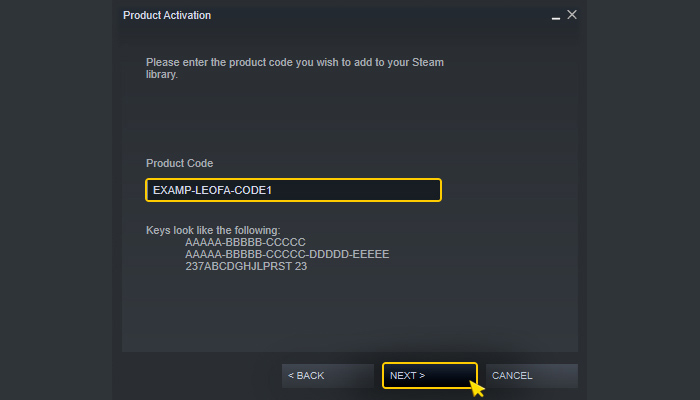
A new window will appear, guiding you through the activation wizard. Click "Next" to proceed, then carefully read and agree to the Steam Subscriber Agreement. After this, you'll reach the "Product Code" entry screen. This is where you'll input your unique alphanumeric game key. It's crucial to type this code accurately, paying close attention to similar-looking characters like the number 0 and the letter O, or the number 1 and the letters I or L. Many keys are 15 or 25 characters long. Once you've entered the key, click "Next." Steam will then verify the key, and if successful, the game will be permanently added to your library. You'll receive a confirmation message, and the game will appear in your "Library" tab, ready for download and play. This entire process typically takes less than a minute, getting you back to gaming faster.
What Types of Game Keys Can I Activate on Steam?
Steam supports the activation of various types of digital product keys, making it a versatile platform for gamers. Primarily, you can activate Steam game keys for full game titles purchased from authorized third-party retailers, digital bundles like those from Humble Bundle or Fanatical, or even keys sometimes included with physical collector's editions. Beyond full games, Steam also allows the activation of keys for Downloadable Content (DLC), season passes, and sometimes in-game items or currency for specific titles. This means that whether you've bought an expansion pack or received a cosmetic unlock code, you can often add it directly to your Steam account.
It's important to note that keys must specifically be "Steam keys." Keys for other PC platforms like the Epic Games Store, GOG.com, or console codes (Xbox, PlayStation, Nintendo) will not work on Steam. Always verify the platform compatibility when purchasing keys from sources other than the Steam store itself. This ensures that your digital purchase translates directly into content you can enjoy within your Steam library without any compatibility headaches.
Why Is My Steam Game Key Not Working? Common Issues and Fixes.
Encountering an "invalid product code" or "already activated" message when trying to activate Steam game keys can be frustrating, especially when you're eager to play. The most common culprit is often a simple typo. Carefully re-enter the key, double-checking each character. Common mistakes include mixing up 0 (zero) with O (letter O), 1 (number one) with I (letter I) or L (letter L), or mistaking V for U. Also, ensure there are no extra spaces before or after the key.
Another frequent issue involves regional restrictions. Some keys are region-locked and can only be activated in specific geographical areas. If you purchased a key from an international retailer, it might not be valid in your country. Less commonly, the key might genuinely be faulty, have an expiration date (rare for full games but possible for promos), or unfortunately, have been previously used or fraudulently obtained if purchased from an from an unofficial "grey market" reseller. If after careful re-entry the key still fails, contact the retailer you bought it from with your proof of purchase. Steam Support typically cannot validate or replace keys not purchased directly from their store.
Can I Activate a Game Key Purchased from Another Region?
The ability to activate Steam game keys purchased from different regions is often limited by regional restrictions put in place by publishers and Steam itself. These restrictions are primarily due to varying pricing structures, content censorship laws, or specific licensing agreements for different territories. If a key is region-locked, attempting to activate it outside its designated region will result in an error message, usually indicating that the product is unavailable in your country.
While some keys are global and can be activated anywhere, many are not. It's crucial to check the product description or contact the seller when purchasing keys from third-party sites, especially if the price seems unusually low for your region. Attempting to bypass these restrictions using VPNs can potentially violate Steam's terms of service and might lead to account penalties, including temporary suspensions or even permanent bans. For a hassle-free experience, always purchase keys that are explicitly valid for your region to avoid activation headaches and ensure compliance with Steam's policies.
What Happens After I Activate a Game Key on Steam?
Once you successfully activate Steam game keys, a few key things happen immediately, transforming that digital code into a playable game. First and foremost, the game is permanently added to your Steam library. It becomes tied to your specific Steam account, much like a digital license, and will appear in your list of owned games under the "Library" tab. This means you can download, install, and play it whenever you like, from any computer where you log into your Steam account.
After activation, Steam takes over the management of the game. This includes handling all future game updates automatically, ensuring you always have the latest version. You also gain access to all Steam-specific features for that title, such as Steam Achievements, Trading Cards (if applicable), community hubs where you can discuss the game, guides, screenshots, and Workshop content. Your playtime will be tracked, and cloud saves (if supported by the game) will ensure your progress is backed up online. Essentially, once activated, the game seamlessly integrates into the entire Steam ecosystem, offering convenience and a rich gaming experience.
How Do I Find My Activated Games on Steam?
Finding your activated games on Steam is straightforward, designed for quick access to your growing digital collection. Once you successfully activate Steam game keys, the new title automatically appears in your "Library" section within the Steam client. You can access your library by clicking the "Library" tab at the top of the Steam window.
Within your library, games are typically displayed in a list or grid format. By default, they might be sorted alphabetically. If you have a large collection, you can use the search bar at the top of the library pane to quickly find a specific game by typing its name. Steam also offers robust filtering and categorization options. You can filter by installed games, genre, or even create custom categories (like "Currently Playing," "Cozy Games," or "Family Favorites") to organize your titles for easier navigation. This level of organization is particularly helpful for busy gamers who might only have short bursts of time to pick a game and play, allowing them to quickly identify what they're looking for without endless scrolling.
Are There Any Restrictions When Activating Steam Keys?
While generally flexible, there are a few restrictions to be aware of when you activate Steam game keys. The primary one, as discussed, is regional locking. A key purchased in one region might not activate or even run in another. Another restriction involves duplicate activations; if you already own a game, you typically cannot activate another key for the same base game on the same account. Steam will usually notify you that you already own the product.
Some promotional keys or keys included in very old bundles might have expiration dates, although this is rare for full retail game keys. Always check the terms associated with promotional giveaways. Lastly, a key's legitimacy is crucial. Keys obtained from unauthorized "grey market" resellers carry a risk; if they were acquired fraudulently (e.g., with stolen credit cards), Steam may revoke them from your account without a refund, leaving you without the game. Sticking to authorized retailers is the best way to avoid these frustrating restrictions and ensure your game activations are permanent and secure.
Can I Gift an Activated Game or a Game Key I No Longer Want?
Unfortunately, once you successfully activate Steam game keys, the game becomes permanently tied to your Steam account and cannot be gifted, transferred, or resold. This is a fundamental aspect of digital rights management on platforms like Steam. Unlike physical copies of games, digital licenses are not transferable between accounts. The only exception is if you purchase a game directly as a gift through the Steam store, in which case it is sent as an unactivated gift to another user's account or inventory.
If you have an unactivated game key that you no longer want or received as a duplicate, you might be able to gift that unactivated key to a friend, assuming it's not region-locked and you trust the source. However, once the key is used, the game is bound. For family sharing, Steam offers "Family Sharing," which allows authorized family members to play games from your library when you're not actively playing. This is a great way to share your collection without transferring ownership, catering to families balancing gaming budgets and diverse interests.
What If I Accidentally Activate a Key on the Wrong Account?
Accidentally activating a game key on the wrong Steam account is a common but often irreversible mistake. Since games are permanently tied to the account upon activation, Steam's policy generally does not allow for the transfer of games between accounts, even if activated erroneously. This means if you activate Steam game keys on a secondary account instead of your main one, or a family member accidentally uses your key on their account, that game will typically remain locked to that specific account.
Your best course of action is to immediately contact Steam Support. While their standard policy is no transfers, in rare and well-documented cases (especially if the activation was very recent and clearly accidental, and you can provide strong proof of ownership for both the key and the intended account), they might offer assistance. However, it's not guaranteed. The safest approach is always to double-check which account you are logged into before initiating any key activation to prevent this frustrating situation entirely.
How Does Steam Protect Against Fraudulent Game Keys?
Steam employs several robust measures to protect users and developers against fraudulent game keys and ensures the integrity of its platform. When you activate Steam game keys, the system instantly verifies the key against a massive database of legitimate, issued product codes. This immediate validation helps detect keys that are fake, malformed, or have already been used. If a key is found to be invalid or already activated, the system will prevent its use.
Furthermore, Steam actively works with game publishers and authorized retailers to track key distribution. If a batch of keys is reported as compromised or acquired through fraudulent means (e.g., using stolen credit cards for bulk purchases), Steam has the capability to revoke those keys from any accounts they have been activated on. This protects developers from financial loss and discourages grey-market reselling that often deals in illicitly obtained keys. While this can sometimes inconvenience a legitimate buyer who unknowingly purchased a bad key, it's a necessary measure to maintain a secure and fair ecosystem for everyone, from busy gamers to major publishers.
Getting your new games up and running on Steam should always be a smooth process, not another boss battle. By following these straightforward steps and understanding common pitfalls, you can confidently activate Steam game keys and expand your digital library with ease. Remember, Steam is designed to be user-friendly, and most issues have simple solutions. We hope this guide helps you spend less time troubleshooting and more time enjoying the incredible worlds and experiences gaming offers. Whether you're building a community in a cozy indie title or strategizing in a competitive esports match, your time is precious.
What's your biggest gaming challenge when adding new titles to your library? Comment below and let's troubleshoot together!
What is a Steam game key?
A Steam game key is a unique alphanumeric code that, when redeemed on the Steam platform, adds a specific game to your Steam library. It acts as a digital license for the game.
Where do I get Steam game keys?
You can purchase Steam game keys from various online retailers like Humble Bundle, Fanatical, Green Man Gaming, or directly from game developers. They are also often included with physical game copies or given as promotional codes.
Is activating a Steam key safe?
Yes, activating a legitimate Steam key is safe. Always ensure you are purchasing keys from reputable, authorized sellers to avoid issues with fraudulent or revoked keys.
Can I activate a key for a game I already own?
Typically, no. Steam will inform you that you already own the game and the key will not be consumed or added to your account. Some exceptions exist for special editions or DLC bundles.
How long does a Steam key last before activation?
Most legitimate retail Steam keys do not expire. However, promotional keys or those from specific bundles might have an expiration date, so it's always best to activate them promptly.
What if my Steam key is invalid?
If your Steam key is invalid, first double-check for typos. If it still fails, contact the retailer where you purchased the key with your proof of purchase. Steam Support cannot validate keys not purchased directly from Steam.
Guide to activating Steam game keys, Troubleshooting common activation errors, Managing your Steam library, Benefits of using Steam for game activation, Tips for quick game setup, Digital game key best practices
35

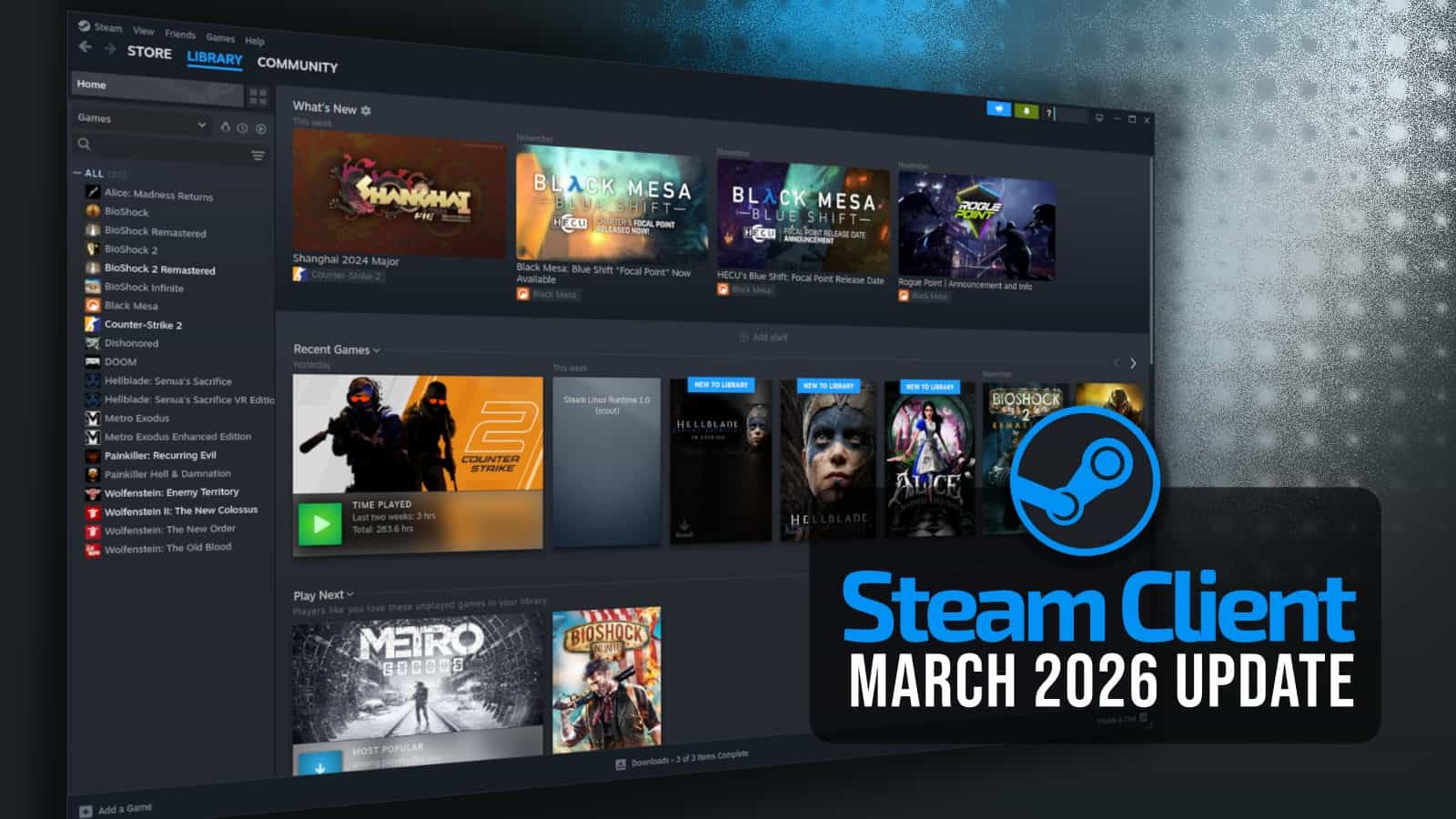


Steam Sales 2026 Calendar Full Dates Best CD Key Deals AllKeyShop Com All Steam Events 2026. How To Find Ubisoft Connect Activation Code On Steam 2026 Ubisoft . Steam March 2026 Client Update Adds Hardware Specs To User Reviews Steam Client Mar 2026 . The Most Played Games On Steam For 2026 So Far Cheat Code Central Most Played Games Steam 2026 2048x1167 . How To Find Game Activation Code On Steam For Ubisoft Connect 2026


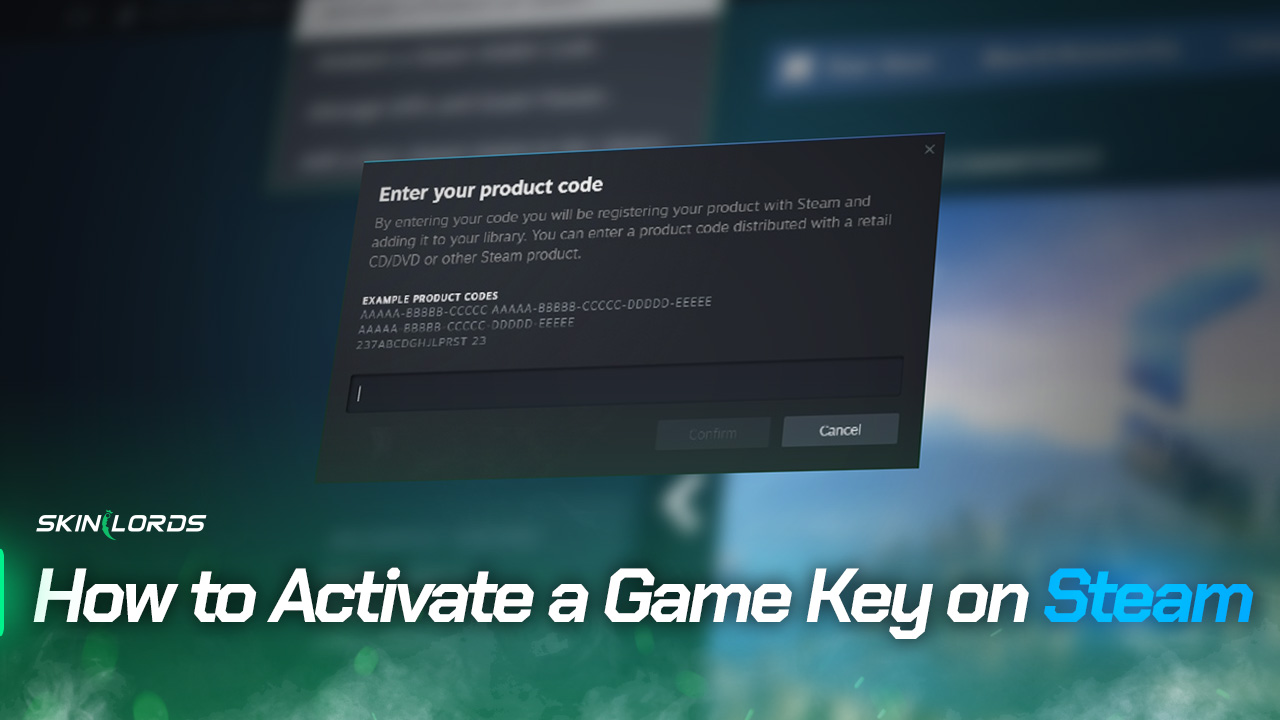
How To Activate Steam Game Code Codashop Malaysia. 17 Game Gratis Di Steam 2026 Seru Bikin Kamu Ketagihan Jurnal Ngawi 3471022749 . How To Activate CD Key On Steam QUICK EASY 2026 YouTube . Steam Sales 2026 Here S The Schedule For The First Half Of The Year 1824cr953 . How To Change Your Steam Game Playtime Visibility SkinLords How To Activate A Game Key On Steam

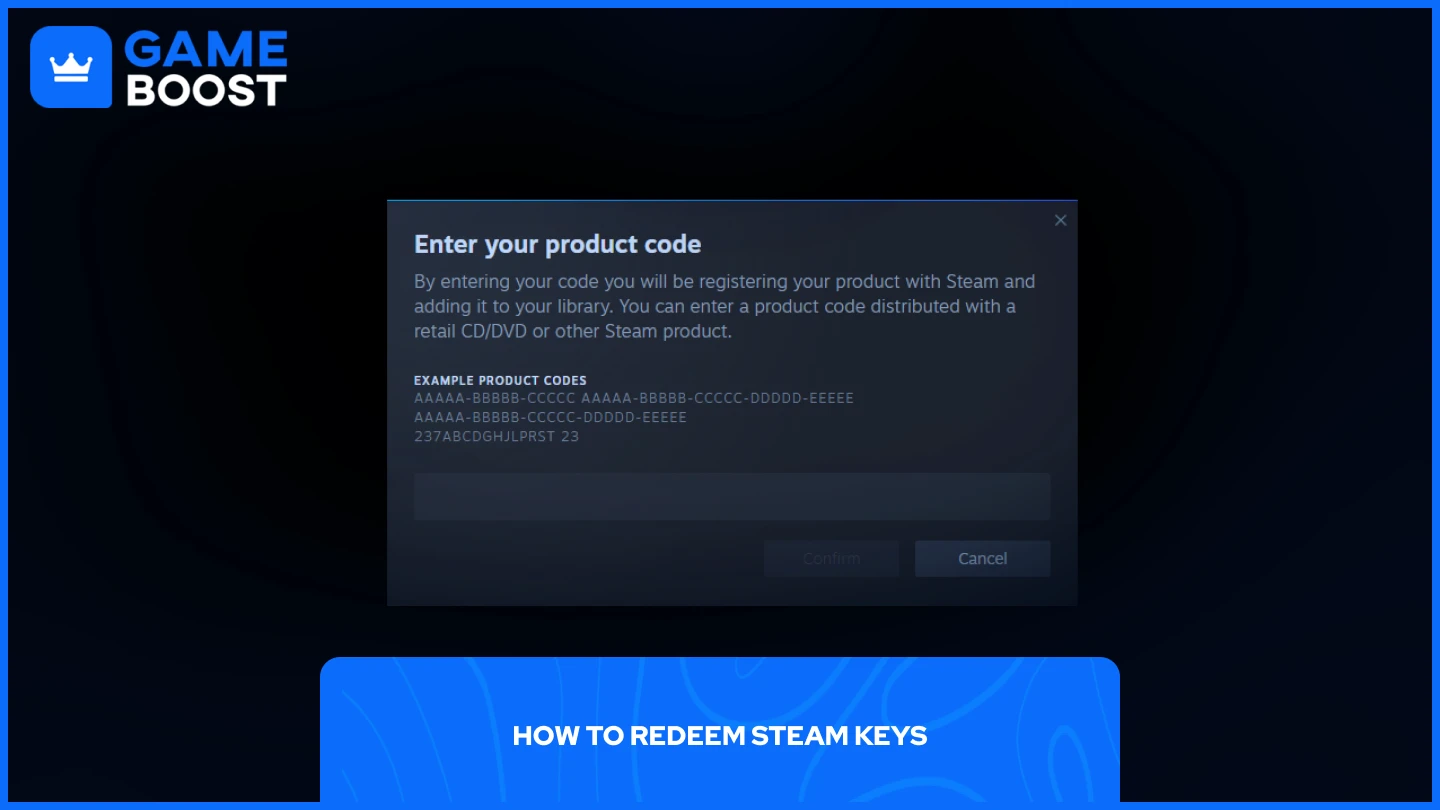

My Current Steam Wishlist 2025 2026 New Games YouTube . How To Redeem Steam Codes Step By Step Guide C869886f Ab50 4e25 Bf25. How To Activate A Beta Version Of A Game On Steam Opt Into Betas . Steam Offline Activation Tutorial 2026 YouTube . Steam Sale 2026 Key Dates You Need To Know LevelUpTalk Steam Sale Schedule 2026 08 27 2025 7c35051e 2c22 4093 96f1


How To Find Game Activation Code On Steam For Ubisoft Connect 2025 . How To Activate Steam Game Code Gift Card Gameflip Help. Where To Get Rockstar Activation Code Steam Steam Activate Key Box . Steam Key Generator Free Steam Games X Sddefault . How To Activate A Steam Game Instantly GadgetGang Activate Steam Product In App


Steam 2026 EGW News Resized.JPG. Best Free Games To Claim Right Now 2026 Steam PlayStation Xbox More May 2026 Free Games Feature Image . Nuova Steam Machine 2026 Giochi Compatibili E Data Di Nuova Steam Machine 2026.webp. Steam Code Activation GamersGate . Kalender Lengkap Event Steam 2026 Diskon Besar Dan Festival Game Favorit Steam Events 2 Q82 W2560 H 74ce0.webp



Kalender Lengkap Event Steam 2026 Diskon Besar Dan Festival Game Favorit Steam Events Q82 W2560 H 27565.webp. How To Find Game Activation Codes On Steam For Ubisoft Connect 2026 CD . Is Fanatical Legit The Answer Is Resounding Voltcave Steam Activation . Steam Sales 2026 Calendar Full Dates Best CD Key Deals AllKeyShop Com All Steam Events 2026 1.webp. Top 10 Most Anticipated Games Of 2026 What To Watch Out For TVN GAMES IN 2026
:quality(30):format(webp):focal(0.5x0.5:0.5x0.5)/jogja/foto/bank/originals/20260423-Steam-Weekend-Deal-April-2026.jpg)


Midweek Deal Steam April 2026 Hadir Dengan Berbagai Game Mabar Menarik 20260423 Steam Weekend Deal April 2026 . How To Use Steam Game Keys 2026 Easy Guide YouTube . How To Redeem A Code On Steam Activate Game Key YouTube . TOP 21 NEW Upcoming Games Of 2026 YouTube . How To Redeem On Steam 1678962621